
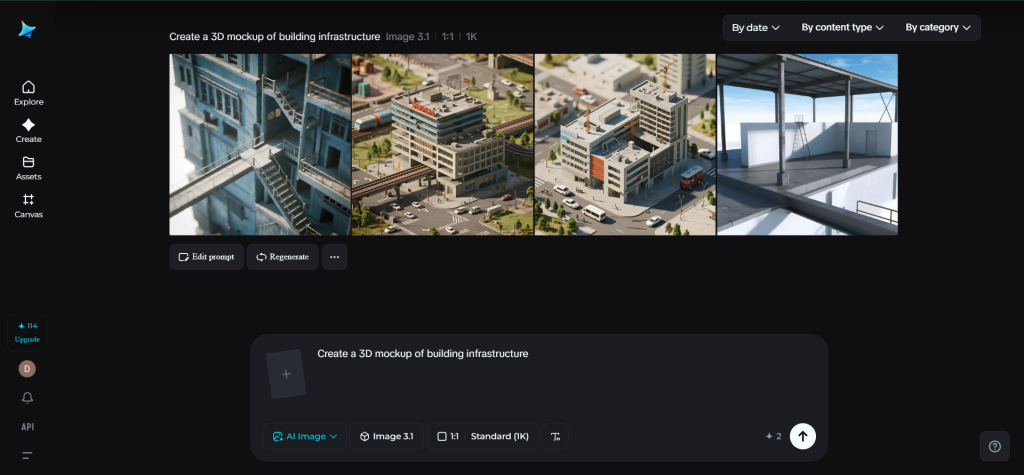
Previously, creating realistic images of products entailed costly photoshoots, expensive studio spaces, and sophisticated software programs. Today, 3D mockup generators have revolutionized this process. With programs like the Dreamina AI image generator, one can create visual representations of products, packaging, branding, and digital assets within an environment that simulates reality without even using a camera.
For purposes of presentation in eCommerce websites, branding campaigns, and business presentations, 3D mockups are indispensable tools that enable creators to showcase their concepts in professional ways. Let us examine what 3D mockups are, what features are important to look for, and how to create them easily.
What makes 3D mockup generators so effective
A 3D mockup generator lets you project your idea—a logo, a design on packaging, artwork, etc.—onto a realistic object. Imagine your brand logo on a coffee mug, a custom design on a t-shirt, or a campaign on a roadside billboard.
Rather than constructing everything from scratch, you merely provide the description or image files, and the artificial intelligence will do its magic by generating realistic images.
This tool can be applied to:
- Preview of the product prior to manufacture
- Presentation of branding ideas to potential clients
- Product displays on online stores
What is the greatest benefit of using such mockup generators? The answer is simple – fast testing of multiple designs and visualizations without wasting time.
Important mockup generator features
All generators are not the same. However, some of them possess certain key features making them superior and more user-friendly. Here are the main criteria to consider when choosing the right tool:
- Realistic lighting and shadows
- Customizable background and environment settings
- Ability to create hi-res files
- Aspect ratio customization options
- User-friendly editing possibilities
These factors help you get impressive results in the shortest possible time.
How do you turn your idea into a convincing scene?
First of all, you should clearly imagine the scene that you want to present. Think about the elements and objects that should be included there.
For instance, you might need something like this:
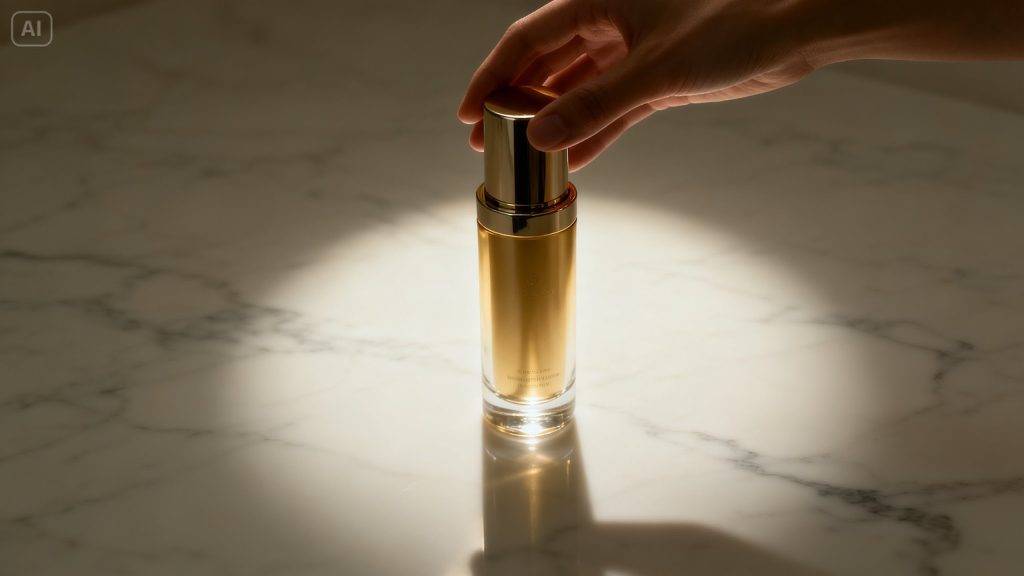
- A bottle of skincare is placed on a marble surface and lit with a light beam
- An attractive hoodie design placed against the urban background
- Book covers placed on the wooden table in the comfortable reading room
You may also incorporate people into the scene with the help of a special AI human generator. Thus, you will see how someone uses, holds, or presents a particular object.
Various ways to use 3D mockups for your purposes
One of the best things about the AI mockup creator is that the options it opens for you are virtually endless once you get started.
Some cool use cases include:
- Packaging designs for upcoming launches
- Designer portfolios
- Promotional banners
- Visualization of branding materials
This is an amazing way to visualize the idea you have in mind.
Turn imagination into reality: build your mockup with Dreamina
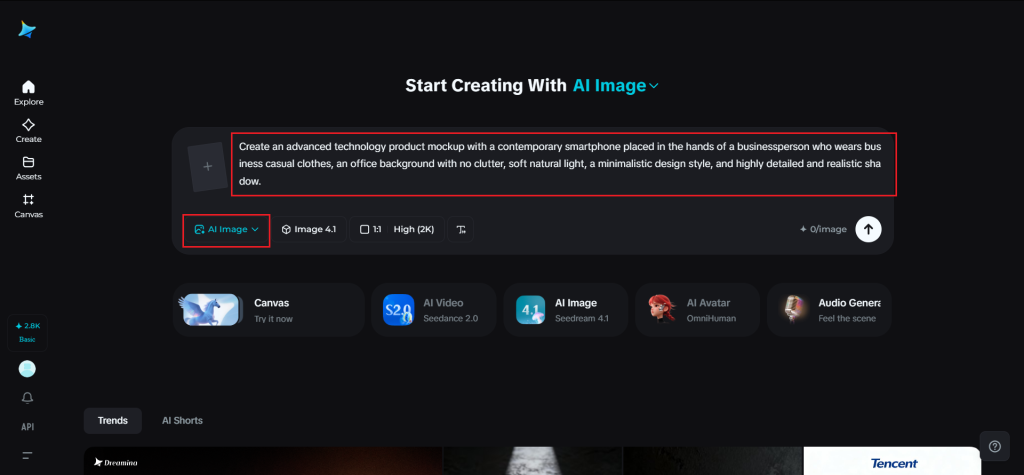
Step 1: Write your text prompt
Begin by visiting Dreamina and concentrate on formulating an extensive text prompt. Instead of designing, imagine storytelling.
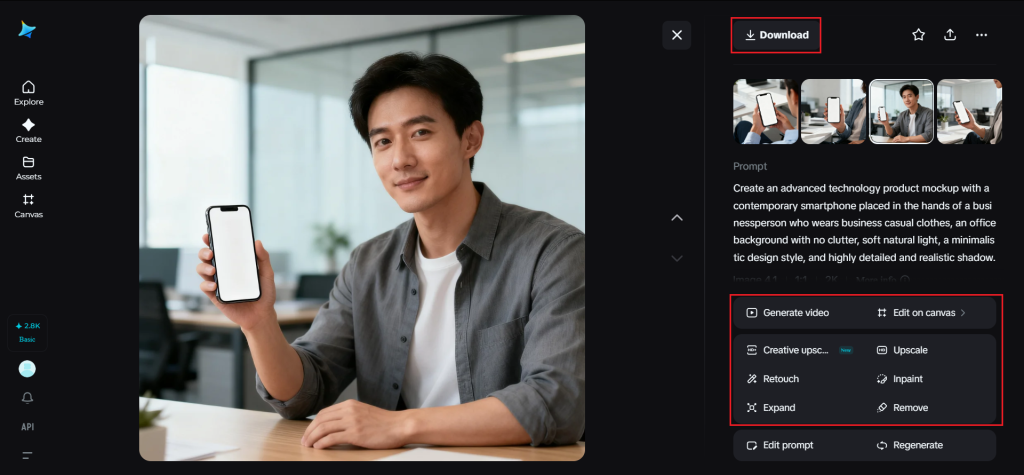
For instance: Create an advanced technology product mockup with a contemporary smartphone placed in the hands of a businessperson who wears business casual clothes, an office background with no clutter, soft natural light, a minimalistic design style, and highly detailed and realistic shadow.
This kind of description enables you to create a vivid and realistic image.
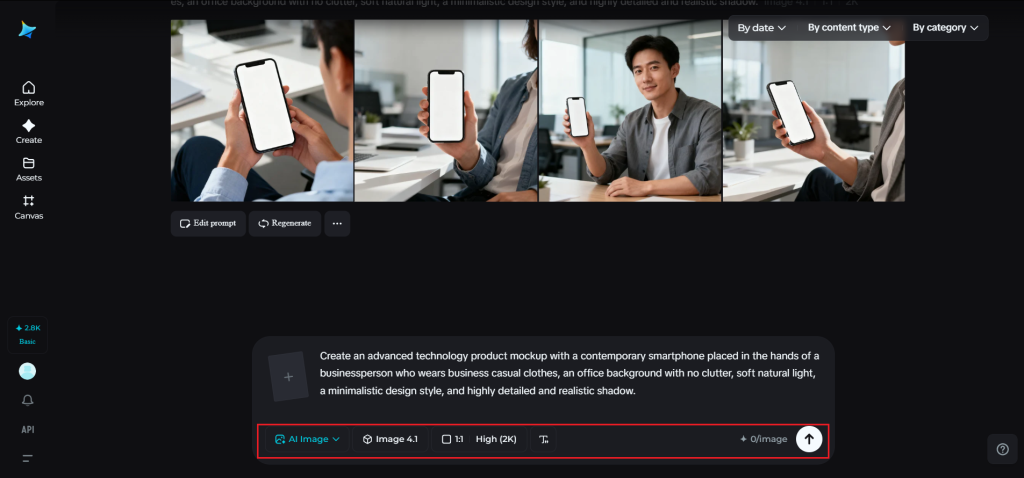
Step 2: Change parameters and generate
Now that you have your prompt, proceed to make adjustments. Select the relevant model and determine your aspect ratio based on where you will use the mockup. Next, decide on your resolution; 1K for rapid preview or 2K for a high-resolution output. After making these adjustments, click Dreamina’s icon to produce a 3D mockup.
Step 3: Edit and download
Once your mockup is generated, edit it via Dreamina’s editing features. Use inpaint to improve certain aspects, expand to adjust its composition, remove undesired items, and finally retouch it. When done, press the “Download” button to retrieve your mockup.
Add animation effects with the video maker tool
While static mockups work well, there’s another way you could spice up your presentation.
The AI video generator tool enables you to generate videos based on prompts or reference images. You don’t have to showcase your product; you can do it in a fun and dynamic way by adding elements such as rotation, presenting the product in various scenes, etc.
The most common applications of AI video generation are:
- Launch campaigns for products
- Advertisements on social media sites
- Hero sections on websites
- Various brand images
In this case, you’re supposed to generate video clips based on prompts or images without using any video editing software.
Improving the professionalism of your mockups
Despite the involvement of AI, paying attention to the details is key. Just a few tweaks could help you take your mockups from okay to amazing.
Consider:
- Making sure the design looks natural on the object
- Aligning the lighting for both the product and the background
- Balancing the composition
- Avoiding cluttered images
Such improvements will contribute to the authenticity and beauty of your mockups.
Considering other options and innovative solutions
Whereas classic mockup generators depend on the template approach, contemporary AI-driven software, including Dreamina, allows more freedom of choice. Rather than adapting your design to the template, you can create an entirely new scene.
Some of its benefits include the opportunity to:
- Create fictional visual designs for products
- Explore futuristic or artistic settings
- Build a story for a brand using visuals
- Test and evaluate ideas before actual production
It is this capacity to generate unique visuals rather than templates that distinguishes modern software.
Conclusion: Enhance your graphics with Dreamina
The advent of 3D mockup generators has revolutionized the way designs are presented. While in the past, one had to spend hours on complicated tools, today, you can achieve the same results in minutes using AI.
Dreamina takes this a step further by offering an easy-to-use platform for creativity and inspiration. From prompt generation to finalizing the design, everything is geared towards helping you develop realistic and impressive mockups.
If you want to impress clients, promote your products, and test your creativity, 3D mockups are the best choice.