
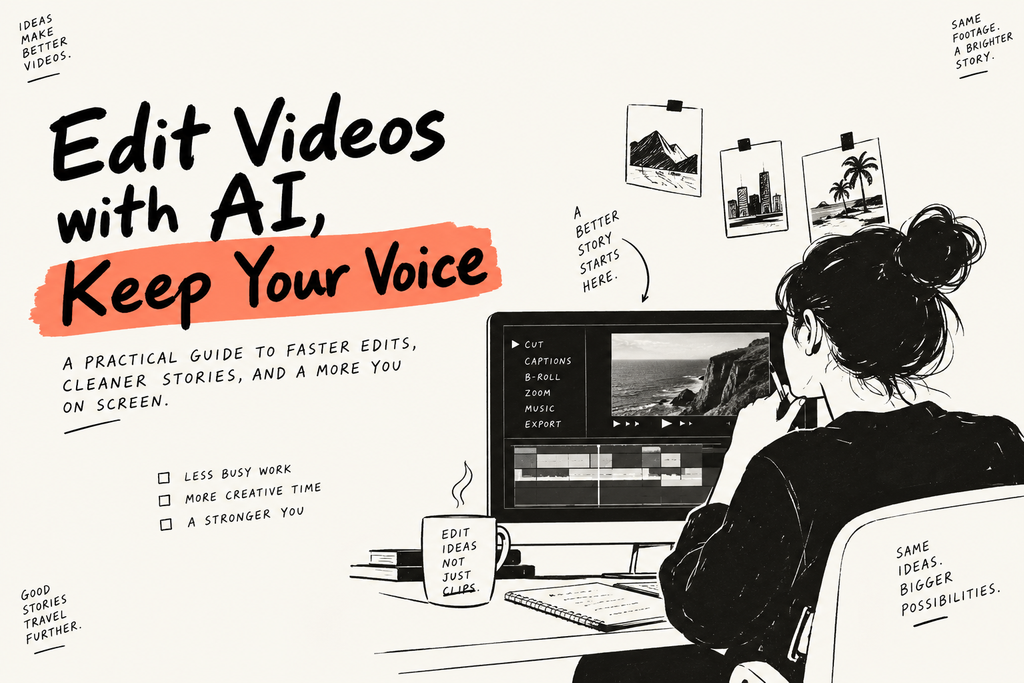
AI video editing is getting much easier to use. Tools such as ChatCut’s AI video editor let you describe an edit in plain English and turn that request into changes on a real timeline.
That sounds simple. But it changes the job of the editor in an important way.
You no longer need to start by thinking about every cut, track, or menu.
You can start with the result you want.
That does not mean “press one button and trust the AI.” The best workflow is almost the opposite.
Let AI handle the mechanical work. Then spend more of your time on story, pacing, taste, and style.
Here is how that works.
ChatGPT Can Help Edit Video—But There Is a Catch
There is an important difference between asking ChatGPT for editing advice and asking it to actually edit a video.
In a normal chat, ChatGPT can help with a script. It can suggest cuts, find hooks in a transcript, write captions, or create a shot list.
Those are useful jobs.
But it is still giving you instructions.
To change the actual video, ChatGPT needs a connection to an editor that can access the footage and make changes to the project.
This is the bigger shift happening in AI video editing.
The conversation becomes the control layer.
The timeline is still where the edit lives.
That distinction matters.
A list of suggested timestamps is not the same thing as an edit. A useful editing workflow should leave you with something you can play, inspect, change, and export.
Start With the Outcome, Not the Editing Commands
A weak video editing prompt sounds like this:
“Make this video better.”
Better how?
Shorter? Faster? Funnier? More cinematic? Better for TikTok? Better at explaining the product?
The AI has to guess.
Instead, describe the finished video.
For example:
“Turn this 12-minute product demo into a 90-second video for first-time users. Keep the setup and final result. Remove repeated explanations and dead air. Keep the tone calm and practical.”
Notice what is missing.
There are no timestamps.
There are no instructions like “cut at 00:42” or “move clip three to track two.”
You are explaining the job, not operating the software for the AI.
Think about how you would work with a human editor. You probably would not sit beside them and call out every mouse click.
You would explain the goal, review the first cut, and give notes.
AI editing works better the same way.
Build the Story Before You Decorate It
One of the easiest mistakes with AI video tools is asking for everything at once.
You ask it to:
cut the video, add captions, insert B-roll, add zooms, find music, create motion graphics, fix the sound, and make a new intro.
A few minutes later, you have a very busy video.
And you have no idea which decision made it worse.
A cleaner workflow starts with the story.
If it is a talking-head video, start with the A-roll—the footage carrying the main message.
Remove repeated takes. Tighten long pauses. Cut sections that do not move the idea forward.
Then watch it.
Does the story work without any decoration?
Good.
Now add captions, B-roll, music, graphics, reframing, and other polish.
This sounds almost too simple.
That is the point.
AI makes it easy to add things. Good editing still depends on knowing what the video actually needs.
Let AI Do the Boring Work First
The best place to use AI is often the work that takes a lot of time but very little creative judgment.
Finding long silences is a good example.
So is transcribing speech.
Or creating a first pass of captions.
Or finding obvious repeated takes.
Or changing a horizontal talking-head video into a vertical version for Shorts and Reels.
None of these jobs are unimportant.
They are just mechanical.
And mechanical work can quietly consume half an afternoon.
When AI handles the first pass, you get more time for the questions viewers actually notice.
Where should the video begin?
Is the first sentence strong enough?
Does this pause help the point land, or does it just feel slow?
Does the B-roll make the idea clearer?
Should that joke stay?
That is the real opportunity with AI editing.
Saving time is useful.
Spending that saved time on better decisions is much more useful.
Don’t Let AI Flatten Your Visual Style
There is another problem.
Once everyone can type “make this more engaging,” a lot of AI-edited videos can start looking suspiciously similar.
Big captions.
Fast zoom.
Stock B-roll.
Another zoom.
Sound effect.
Repeat.
The solution is not to stop using AI.
It is to make your visual style more specific.
Think of style as a small system.
How should your captions look?
How often do you use zooms?
Which transitions do you avoid?
Where should text sit on screen?
What colors, fonts, framing, grain, or camera effects show up again and again?
If you like a strong visual look—say, a warm vintage camera feel—do not just ask the AI to “make it retro.”
Give it boundaries.
For example:
“Keep the edit clean. Use subtle film grain and warm highlights. Avoid glitch transitions. Keep captions simple and below the face. Use B-roll only when it helps explain the spoken line.”
Now the AI has a lane.
Style is not a magic prompt.
It is a set of choices you repeat on purpose.
Revise One Problem at a Time
This may be the most useful habit in prompt-based video editing.
Keep your revision narrow.
Do not say:
“I don’t like it. Make it more engaging.”
Say:
“The opening feels slow. Start on the first complete sentence and remove the two pauses before the product appears. Keep everything after that unchanged.”
Or:
“The captions are too large. Make them smaller and move them lower. Keep the cuts and audio unchanged.”
This does two things.
First, it tells the AI exactly what failed.
Second, it protects the parts that already work.
Every time you ask an AI system to redo the entire video, you give it another chance to break something that was already fine.
Good editing is often less about making one giant change and more about making ten small, correct ones.
Text-Based Editing Changes Who Can Edit
Traditional video editing is visual and spatial.
You scrub through footage.
You move clips.
You work with tracks.
Text-based editing gives you another way in.
If your video contains speech, the transcript can become a map of the timeline.
Remove a sentence from the transcript, and the matching footage can be removed with it.
For interviews, podcasts, tutorials, product demos, and talking-head videos, that is a big shift.
You can shape the story by reading before you fine-tune it by watching.
This is especially useful for people who understand storytelling but have never memorized every shortcut inside Premiere Pro or DaVinci Resolve.
The timeline does not disappear.
You simply get a faster route into it.
AI Video Editing Is Not AI Video Generation
These two ideas often get grouped together, but they solve different problems.
AI video generation creates footage that did not exist before.
You give it text, an image, or another reference, and it creates a new clip.
AI video editing works on a project you already have.
You might use AI to shorten an interview, clean up a product demo, create captions, restructure a story, or turn a long recording into short social clips.
A creator can use both in one project.
For example, you might edit a real interview and then generate a short visual for an idea you could not film.
But it helps to know which problem you are solving.
If your problem is:
“I need a shot that does not exist.”
You probably need generation.
If your problem is:
“I have 40 minutes of footage and need a strong three-minute video.”
You need editing.
Modern tools are starting to connect both jobs. But the workflow still works better when you know what you are asking the AI to do.
Creative Control Still Matters
AI can move fast.
It can also make a bad decision very quickly.
Before publishing, watch the entire video.
Listen across every important cut.
Check that shortening a quote did not change what the speaker meant.
Check names, numbers, and product terms in captions.
Listen for clipped words.
Look for B-roll that seems impressive but makes the idea harder to follow.
And finally, watch the exported file outside the editor.
Yes, this last part is boring.
Do it anyway.
The goal of AI video editing should not be to remove people from editing.
It should move people away from repetitive work and closer to the decisions where human judgment matters.
A Simple Rule for Editing With AI
Here is the rule I keep coming back to:
If the task is mechanical, let AI take the first pass.
If the task changes meaning, pacing, or taste, review it yourself.
That is simple enough to remember and useful enough to guide most AI editing workflows.
The future of video editing probably will not be “AI replaces the timeline.”
It will look more like this:
You describe the outcome.
AI builds the first pass.
You decide what deserves to stay.
And you keep control of the final cut.
That is a much more useful future.