
Opening a game used to mean finding an installer, waiting for large files, choosing a folder, and completing several setup screens. Browser gaming removes many of those steps. An Online game No Download experience sends the files needed for play through a webpage, then uses your browser and device to run them. You may still wait briefly while graphics and sounds load, but you are not installing a separate program in the traditional way.
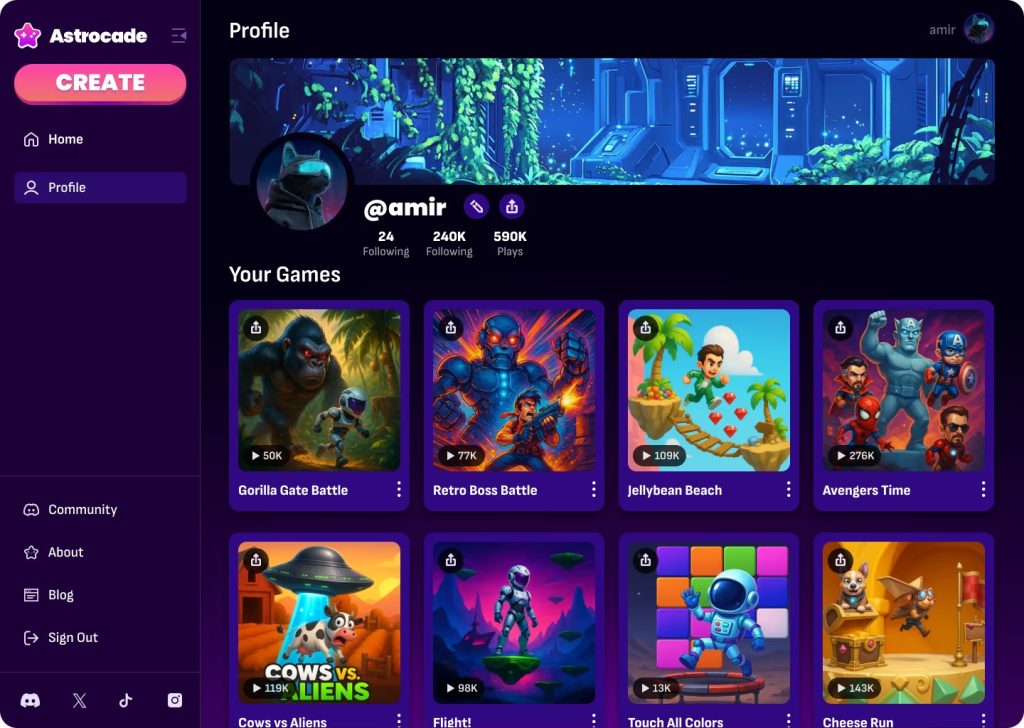
How Online Games Run Inside a Webpage
Modern Online Games are built with web technologies that turn an ordinary browser tab into an interactive play space. HTML and CSS can display menus and buttons, while JavaScript controls actions, scores, movement, and game rules. The Canvas API provides an area where developers can draw changing 2D scenes, and WebGL allows the browser to create hardware-accelerated 2D and 3D graphics without requiring an extra plug-in.
Casual games often feel especially fast because they may use smaller environments, simpler graphics, and short rounds. However, browser play is no longer limited to basic puzzles. WebAssembly allows compact code to run in modern browsers with near-native performance, giving developers another way to build more demanding systems.
The important point is that the browser is doing much more than showing a page. It is receiving game files, reading your controls, drawing each new frame, playing audio, and updating the experience while you play.
What Happens After You Press Play
The process may appear instant, but several small actions take place between the click and the opening scene.
- The browser requests the game page and essential files from the platform’s servers.
- Scripts containing rules and controls are loaded into the browser.
- Visual assets such as character images, menus, environments, and animations are prepared.
- Sound effects and music may load before play or only when they are needed.
- The browser checks what your device supports, including graphics features and input methods.
- Some Online Free Games load the first playable section before downloading later content.
- Frequently used files may be saved temporarily so that future visits feel faster.
- The game begins once enough essential material is ready.
This explains why “instant” does not always mean zero loading time. It means you can begin through the browser without completing a separate installation process. The exact speed depends on the size of the game, your connection, the platform’s servers, and the power of your device.
Why You Are Not Installing a Full App
A traditional installation normally places a program and its files into your device’s application system. It may create folders, add shortcuts, request permissions, and use an updater when a new version is released.
A browser game usually works differently. The main files are delivered as web resources and run inside the browser’s controlled environment. The browser may cache some assets, which means it keeps local copies to avoid requesting the same material every time. Modern web storage tools include Cache Storage, IndexedDB, and the Origin Private File System, although the exact method depends on how the developer built the experience.
This approach offers several practical benefits. Updates can be placed on the server, allowing players to receive the latest version when they open or refresh the page. Links can also be shared directly, which removes much of the app-store and installation friction found in traditional distribution.
AI games can use the same browser foundation while adding generated dialogue, changing challenges, or responsive opponents. The AI feature may communicate with an online service while the visible action continues in the browser. This can require a stable connection, especially when new content must be created during the session.
Accuracy Matters More Than Power
Kick Skills is a skill-based football game centred on shooting, aiming, and scoring goals. Each attempt asks the player to judge direction and release the shot with accurate timing. The main challenge is not controlling an entire team but mastering the moment that decides whether the ball reaches its target. Rushing can send a shot away from the intended path, while waiting too long may weaken the opportunity. The focused design makes improvement easy to notice because better results come from learning the aiming system and developing more consistent control.
How a social gaming platform Connects Players
A social gaming platform can place matchmaking, invitations, chat, rooms, scores, and the game itself inside one browser experience. You may not need a permanent account when the platform supports guest access, but multiplayer systems still need a temporary way to identify each participant during the session.
The joining process may work through:
- A private room code that friends type into the same page
- A direct invitation link containing the room information
- A temporary guest name created for one session
- A public lobby that places available players together
- A friend list connected to an optional account
- A local two-player mode using one keyboard or shared device
- A controller connection supported through the browser’s Gamepad API
- A quick-match button that chooses a suitable opponent automatically
The Gamepad API allows compatible browsers to receive input from connected controllers, while keyboard, mouse, and touch controls can be handled through other web technologies.
When you play with friends online, use the same platform link and confirm whether the game needs a room code, account, or guest name. One player should open the room first and test the invitation before sending it to the whole group.
Where Your Scores and Progress Are Saved
Not every browser game saves information in the same place. Some keep progress on the device, while others connect it to an online account.
Local storage can remember simple information across browser sessions, such as settings, unlocked stages, or a high score. More complex experiences may use databases in the browser or save progress on the developer’s server. Server-based saving is useful when you want to continue on another device, but it usually requires some way to identify you, such as an account or a secure sign-in method.
Guest play creates a trade-off. It allows faster entry and asks for less information, but progress may be easier to lose. Clearing site data, changing browsers, blocking storage, or moving to another device can remove access to a locally saved session.
Private browsing creates another important difference. MDN explains that local storage used in a private window is deleted when that private session closes. Therefore, a score saved during incognito play may disappear even if it would normally remain in a standard browser window.
Before investing time in a long progression system, check whether the game displays a save icon, account option, cloud-save message, or warning about local progress. A minute spent checking can prevent hours of lost advancement.
Why Some Viral games Ask for a Login
Viral games often attract players through a short clip or shared link, so a forced registration screen can feel like an unnecessary interruption. However, not every request to sign in exists only to collect information.
An account may be needed to:
- Keep progress across several devices
- Store purchases or earned items
- Protect a public username
- Maintain friends and private groups
- Track ranked results
- Support moderation and reporting
- Recover progress after browser data is cleared
The better question is not simply, “Does this require a login?” It is, “Does the feature I am using genuinely need an account?”
A short solo round should often work without registration. Cross-device progress, competitive rankings, and permanent social connections have a stronger reason to require identity. Good platforms explain the benefit before requesting personal details.
You should also check what information is being requested. A display name for a temporary room is different from a full account asking for an email address, date of birth, contact access, and several permissions. Leave the page when the request appears unrelated to the experience or when the site does not clearly explain its purpose.
What Instant Play Can and Cannot Promise
Browser gaming removes several barriers, but it does not remove every technical limit. The game still uses memory, processing power, network data, and storage space. A complex 3D experience can make an older laptop hot or drain a phone battery quickly, even though nothing was installed.
Performance can also change between browsers and devices. A title designed for a desktop keyboard may feel awkward on a touchscreen. An older browser may not support a newer graphics feature. Several open tabs can compete for memory, and extensions may block scripts or storage needed by the game.
Try these fixes when instant play does not work properly:
Close unused tabs before refreshing the game. Update the browser when graphics fail to appear. Turn off battery-saving mode if it reduces performance. Check the control guide before assuming the game is broken. Allow audio after interacting with the page, since browsers may restrict automatic sound. Use a standard window when you want local progress to remain. Switch to a trusted network when multiplayer movement feels delayed.
Downloading is sometimes still the better option. A large story-driven experience, advanced modification support, reliable offline access, or highly demanding graphics may benefit from a native application. Browser play is strongest when convenience, sharing, and quick access matter more than permanent local ownership.
Instant browser gaming works because modern browsers can perform tasks that once required separate software. They can draw accelerated graphics, run complex code, receive several forms of input, store selected data, communicate with game servers, and update content without asking the player to manage files manually. The technology may be complex behind the screen, but its purpose is simple: reduce the distance between discovering something interesting and actually playing it.
Online Free Games are most useful when they combine this convenience with clear controls, fair saving rules, safe account choices, and honest loading expectations. Pressing play may feel effortless, but understanding what happens behind that button helps you protect your progress, improve performance, and choose browser experiences that truly respect your time.